Can You Add a Travel eSIM to an iPad or Smartwatch? iPad Yes, Watch Mostly No
Can You Add a Travel eSIM to an iPad or Smartwatch? iPad Yes, Watch Mostly No
By Chester Takau · November 2026
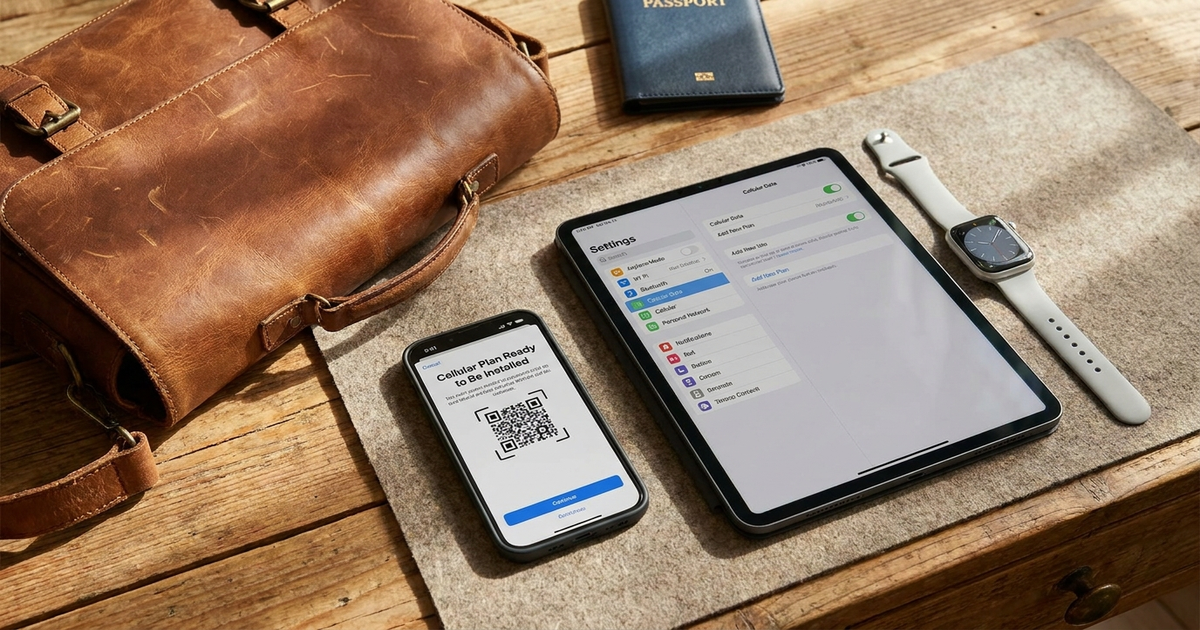
On an iPad, yes, as long as it is a Wi-Fi + Cellular model. A Wi-Fi-only iPad has no cellular radio, so no eSIM will help. On a smartwatch, generally no. A third-party travel eSIM from an app like Airalo installs on a phone or tablet, but a cellular Apple Watch gets its plan through the iPhone's Watch app from a carrier, and Apple says the iPhone and watch must use the same carrier. For a watch abroad your options are home-carrier roaming, or leaving the watch paired to a phone that carries the travel eSIM.
Chester Takau
Chester Takau is an independent reviewer of dual-SIM and eSIM technology, testing setups from the Pacific where connectivity choices really matter.
Device-by-device verdict
| Device | Third-party travel eSIM? | What actually works abroad |
|---|---|---|
| iPad, Wi-Fi + Cellular | Yes | Install a local or worldwide plan on the iPad itself |
| iPad, Wi-Fi only | No | Hotspot from your phone |
| Apple Watch, cellular | Generally no | Home-carrier roaming (Series 5 and later, watchOS 9.1+, if your carrier supports it), or stay paired to the phone |
| Apple Watch set up via Family Setup (For Your Kids) | No | Apple says roaming isn't supported at all |
| Galaxy Watch LTE | Disputed | Depends on carrier-specific wearable provisioning; check your carrier |
How does a travel eSIM work on an iPad?
Apple's iPad travel page, published 5 November 2026, says you can buy a local or worldwide plan on the iPad, online before you arrive, or at an airport kiosk. Some purchases ask for ID such as a passport. An iPad can store 8 or more eSIMs. Recent models, including the iPad (A16), iPad Pro (M4) and later, iPad Air (M2) and later, and iPad mini (A17 Pro) and later, have no physical SIM slot at all, so you cannot buy a local card at the airport. If you want the full rundown on tray-less devices, see our post on which iPhones have no physical SIM slot.
Two practical points. An iPad has no on/off toggle for an eSIM line, so Airalo's troubleshooting guide tells you to control it with the Cellular Data setting. And unlike a dual-SIM iPhone, the research I reviewed describes one active eSIM at a time on an iPad, even though many can be stored. Plan for one data plan per trip.
Why won't a travel eSIM go on an Apple Watch?
Apple's cellular setup page (updated 14 September 2026) says watch roaming needs a Series 5 or later with watchOS 9.1 or later, that "not all carriers support international roaming on Apple Watch," and that the carrier must support VoLTE and roaming. It also says there is no worldwide watch model supporting every cellular band, and that watches come in regional variants for the Americas, China mainland, and Europe/Asia Pacific. So a watch can fail abroad even with roaming switched on.
One Apple Community poster asked in 2023 for a worldwide eSIM that works on an Apple Watch Ultra, and later reported that Airalo "works on iPhone but not on the watch." Some 2025 guides claim you can now add travel eSIMs straight to the watch. Apple's own "same carrier" wording and the newer 2026 sources point the other way, so I would trust Apple.
Standalone watch roaming is sold by the home carrier. Hong Kong's 1O1O, for example, charges for an Apple Watch International Roaming Service in designated VoLTE roaming areas. One vendor puts typical watch roaming at roughly $10 a day, but that figure is unverified.
What is the cheapest workaround for a watch?
Put the travel eSIM on your phone and keep the watch paired over Bluetooth or Wi-Fi. Notifications, calls and Apple Pay keep working while the phone is nearby. This costs the price of one data plan, which is why sizing it matters: work out how many GB of data you need per day abroad before you buy. If you are still choosing a provider, compare Airalo alternatives such as Holafly. An iPad without cellular can use the same phone as a hotspot.
Mike La Putt demonstrates installing an Airalo eSIM on an iPad. I could not verify the video's contents or upload date, and the title carries a referral code, so treat it as a setup demo only.
What this article is based on
This is a research piece, not a hands-on test. I compiled it from Apple's iPad and Apple Watch support pages, vendor FAQs and Apple Community threads. Reddit was not accessible to me, so I did not check Reddit threads. The information gain is one per-device verdict covering both iPad and watch, plus the regional-hardware and family-watch limits that most pages leave out.
Sources
- Apple: Use eSIM while traveling internationally with your iPad (Nov 5, 2026)
- Apple: Set up cellular on Apple Watch (Sept 14, 2026)
- Apple: Use eSIM while traveling internationally with your iPhone
- Airalo: troubleshooting eSIM issues on an iPad
- Vodafone Travel: eSIM for smartwatches guide
- Apple Community: worldwide eSIM for Apple Watch Ultra (Mar 10, 2023)
- 1O1O: Apple Watch International Roaming Service
Updated November 2026.
Transparency note: This article was researched and written by Chester Takau with AI assistance for research gathering and drafting. All recommendations reflect the author's own editorial judgment.


