eSIM Recharge Guide Without New Number: How to Top Up Without Losing Your Profile
eSIM Recharge Guide Without New Number: How to Top Up Without Losing Your Profile
By Chester Takau · July 2026
Most eSIM recharge confusion comes down to one thing: people assume "top up" and "buy a new eSIM" are the same action with different names. They're not. A true recharge adds data (or a balance) to a profile that's already installed and already has a number assigned to it. Buying a new eSIM replaces that profile entirely, which is exactly what forces a new number and a new install. This guide walks through how to tell which one you're actually doing, and the specific situations — non-rechargeable plans, expired profiles, carrier switches — where a "failed" top-up isn't a bug, it's the provider telling you a recharge genuinely isn't possible anymore.
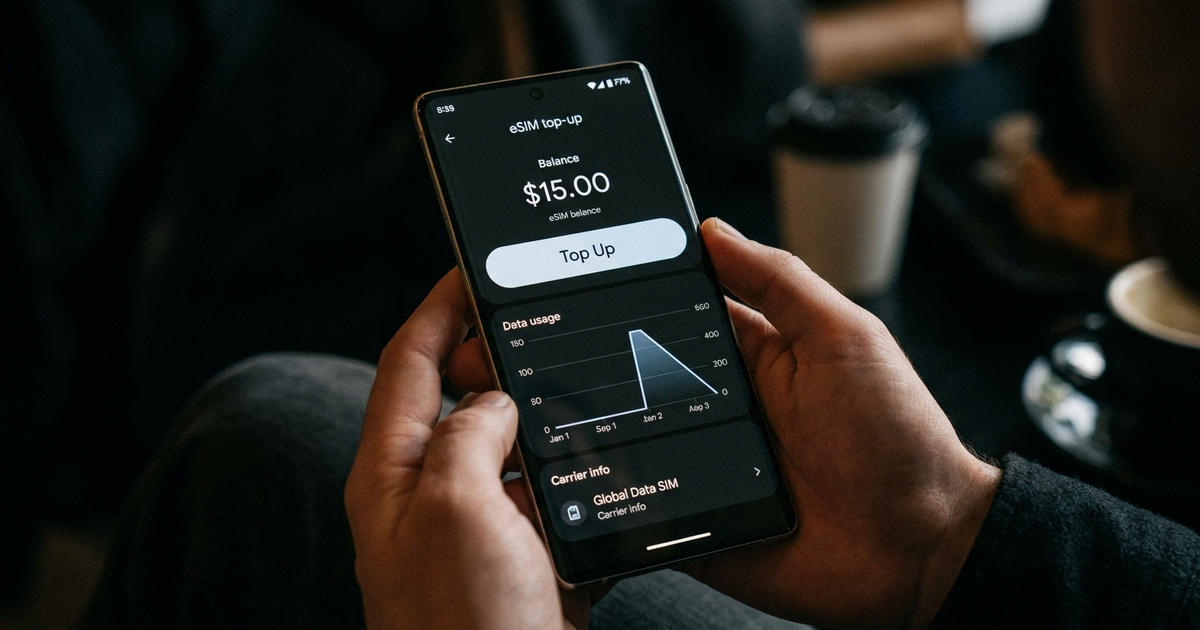
If I top up, do I keep the same eSIM number and settings, or does it give me a new one?
Same everything, as long as the eSIM is rechargeable. Airalo's own current help documentation confirms a top-up simply extends the data on the profile you already have installed — same eSIM, same APN configuration, activation is typically instant with no reinstall needed. (Airalo help center) The number question is slightly separate: most travel eSIMs are data-only and were never attached to a callable number in the first place, so "keeping your number" during a recharge usually means keeping your home number active on your primary line while the eSIM handles data in the background. Airalo addresses this directly in its own explainer on whether eSIMs come with phone numbers at all. (Airalo blog)
There's no Top-up button on my eSIM — do I now have to buy a whole new one?
Usually, yes — but check why first. A missing Top-up button means one of two things: the plan was sold as non-rechargeable from the start, or the underlying carrier network behind your eSIM changed since you bought it. Airalo explicitly warns that some profiles switch carrier partners over time, and when that happens the top-up option disappears even though the eSIM itself still shows as installed. (Airalo help center) This carrier-switch scenario is the one almost no consumer guide mentions, and it's a genuinely frustrating discovery: your eSIM was rechargeable last month and isn't now, through no fault of anything you did.
Should I top up before my current data runs out, or will it override what I have left?
This is the one piece of advice that genuinely conflicts across sources, and it's worth knowing before you get caught out. The Rick Steves travel forum specifically warns against topping up early, describing cases where a new top-up overrides remaining data rather than stacking on top of it. (Rick Steves Travel Forum) Other provider blogs describe topping up early as fine. The safest approach given that split: let your current allowance run close to empty before you add a top-up, and if a provider's own support page says otherwise for your specific plan, follow that instead — behavior isn't consistent across every eSIM brand.
Can I top up a Day Pass or other one-and-done plan?
No. Day passes and other single-use plan types are built as non-reloadable by design — there's no top-up path for them regardless of how much data is left or how recently you bought it. If you know you'll need more data later, buying a standard rechargeable plan instead of a day pass up front avoids this entirely. Airalo tells users to check the "Additional information" tab before purchase specifically because this distinction isn't obvious from the plan name alone. (Airalo help center)
My top-up won't activate — what do I do?
Restart the phone and toggle airplane mode on and off — that clears most stuck activations, the same as it does for a first-time eSIM install. (Airalo troubleshooting) If that doesn't fix it, check two things the same support page flags before anything else: a top-up only extends data for the same destination the original eSIM covered, and it has to be applied before the current package fully expires — an expired eSIM can't be recharged no matter what you try. I cover the broader activation-failure list, including causes that apply to fresh installs too, in the eSIM activation failed fix.
Can I recharge for a different country than my original eSIM?
No — a top-up only ever extends data for the same destination the original plan was bought for. If your next trip is somewhere new, that's a fresh eSIM purchase, not a recharge of the old one, even if the old one is technically still rechargeable. (Airalo troubleshooting) If you travel across multiple countries regularly, it's worth checking a regional or global plan up front rather than expecting a single-country top-up to stretch to a new destination — the eSIM supported countries guide breaks down which regions have the strongest multi-country coverage.
Is there an eSIM I can just keep topping up forever without it ever expiring?
Closer than you'd think. Roamless runs a single global eSIM profile on a pay-as-you-go model — you top up a balance that doesn't expire, get charged per GB across 200+ countries, and keep the exact same profile indefinitely instead of juggling a new eSIM per trip. (Roamless) It's the cleanest version of "recharge without ever getting a new number" currently available, because there's no expiry clock forcing a replacement purchase. Motorola took a related but device-level approach in July 2026 with Global Connect, built on Gigs infrastructure, letting eligible phones purchase, monitor, and top up travel data across 160+ countries directly from a Motorola-branded interface rather than a third-party app. (OpenPR, July 2026)
Airalo's own tutorial walks through the standard top-up flow — logging in, opening My eSIMs, and hitting Top Up on a rechargeable profile — which is worth watching if you want to see exactly where the button should appear before troubleshooting its absence:
Do I keep my real phone number while a travel eSIM handles my data?
Yes, and this is where recharging and number retention actually overlap — most guides treat them as separate topics, but they're the same setup. Leave your primary SIM active for calls and texts on your real number, turn its data roaming off, and let a data-only eSIM in the second slot handle internet. Your home number never leaves the primary line, so there's nothing to "lose" when you recharge the eSIM's data separately. This dual-SIM split is exactly what I set up for the dual SIM for remote workers guide, and the same principle applies whether you're working abroad or just traveling. If you haven't installed the eSIM yet, the how to set up eSIM guide and the iPhone eSIM setup guide cover the initial install this whole recharge process assumes is already done.
Do I have to delete and reinstall the eSIM every trip?
No. Leave it installed and just toggle it off under Cellular / Mobile Data Plans when you're not using it. Deleting and reinstalling is what actually forces a new profile in some cases — the opposite of what most people are trying to avoid.
Recharge or buy new — the quick decision tree
- Top-up button is visible → recharge, same eSIM and number, done
- Top-up button is missing, plan was always non-rechargeable (Day Pass, etc.) → buy new
- Top-up button is missing, plan used to be rechargeable → carrier profile likely changed underneath it, buy new
- eSIM has expired → no recharge possible, buy new
- Traveling to a new country than the original plan covered → buy new (or a regional/global plan next time)
- Want to never repeat this decision → look at a no-expiry balance eSIM (Roamless-style) instead of single-trip plans
Transparency note: This article was researched and written by Chester Takau with AI assistance for research gathering and drafting. All recommendations reflect the author's own editorial judgment.


