How Does Your Phone Choose Which SIM Automatically Network Selection: The Logic Behind the Switch
How Does Your Phone Choose Which SIM Automatically Network Selection: The Logic Behind the Switch
By Chester Takau · August 2026
TL;DR
- iPhone picks a data SIM based on which line has a data plan and whether the other has lost signal entirely — not on raw signal strength
- Android's auto data switching does react to signal strength, moving your data connection to whichever SIM currently reads stronger
- The #1 complaint: the phone auto-switches to a SIM with no data plan at all, killing the connection until you flip it back by hand
- During a call on your second SIM, the first SIM's data usually pauses — most dual SIM phones share one radio and can't do both at once
- Samsung's 2025 code strings point to a future toggle letting you define what counts as "unacceptable" signal before it switches
Your phone doesn't pick a SIM by comparing signal bars the way you'd expect. It's weighing a short checklist — does this line even have a data plan, has the other one lost signal completely, and (on Android) which one currently reads stronger — and the order of those checks is different on iPhone than on Android. That mismatch is why the same phone can feel smart in one country and infuriating in another.
What criteria does the phone actually weigh?
Strip away the marketing name — "Smart SIM," "Auto Data Switching," "Dual SIM Data Steering" — and the underlying logic comes down to three checks, run in different priority order depending on your OS. First: does this line have an active data plan at all, or is it voice/SMS only? Second: does the currently-selected data SIM have any signal, or has it dropped out entirely? Third, on Android specifically: which of the two SIMs has the stronger signal right now? iPhone stops at check two — it switches when your data line goes to zero signal, not when it merely gets weaker than the other line. Android's Smart SIM and manufacturer equivalents go further and actively compare signal strength between both SIMs, switching even while your primary line still has some bars. That's the core split covered in a side-by-side breakdown of how each platform steers data between two active lines. (Simology, iOS vs Android data steering)
Why did my primary SIM switch on its own?
This is the single most-reported complaint on Samsung's own community forums, and it almost always traces back to the no-signal fallback rule above — the phone isn't malfunctioning, it's following its one hard rule: never leave you with zero data if the other line has any. If your primary SIM ducks into a coverage gap for even a few seconds, the phone can jump to the second SIM and simply stay there, even after the primary signal comes back, until you manually switch it. (Samsung Community) The full mechanics of how two SIM cards share a single radio inside one handset — which is what forces this kind of either/or switching in the first place — are covered in the dual SIM basics explainer.
Why does it keep switching to the SIM with no data plan?
This is the trap nobody explains well. If your second line is a voice-only plan or a bare eSIM with no data allowance, the "no signal fallback" rule can still hand data to it during a dead zone on your primary line — because as far as the phone's switching logic is concerned, a line existing and having signal is enough to qualify, plan details aside. The result is a connection that looks "connected" in the status bar but serves nothing, because the SIM it landed on literally has no data to give. The fix on both platforms is the same: go into your dual SIM settings and explicitly set which line is allowed to carry data, rather than leaving both eligible. If you're setting up a second line for the first time, walking through the eSIM setup steps up front — including which profile gets marked as the data line — heads this off before it becomes a recurring annoyance.
What happens to data on the other SIM during a call?
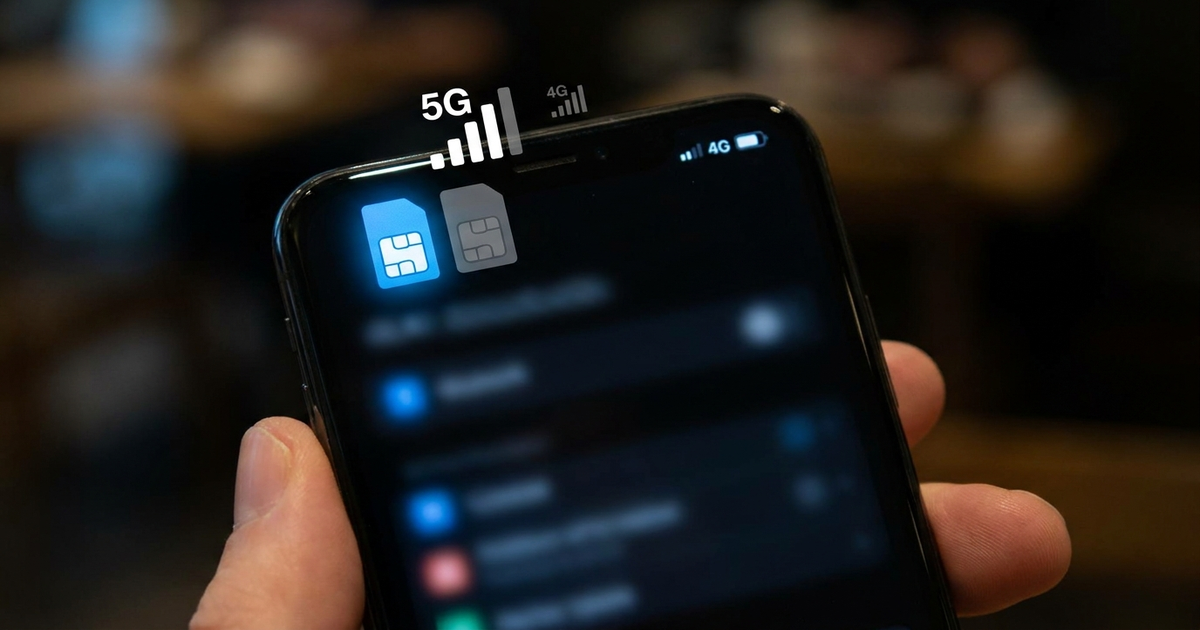
It typically pauses. Most dual SIM and dual eSIM phones sold today are Dual SIM Dual Standby (DSDS) — both lines stay reachable for calls and texts, but only one radio does the actual transmitting at a time. Take a call on SIM 2, and SIM 1's data connection usually goes idle until you hang up. Samsung's own guidance confirms that pairing "Auto data switching" with Wi-Fi Calling closes this specific gap — if the out-of-coverage line rings, the call and any SMS ride the other SIM's mobile data instead of dropping, so the two features are meant to be turned on together, not treated as separate options. (Simology)
Does leaving auto-switching on drain the battery or risk roaming charges?
Some battery cost, yes — keeping both radios monitoring signal for a possible switch costs more than parking on one SIM permanently, though phone makers don't publish a hard number for it. The roaming risk is the sharper concern: if auto data switching hands your connection to a SIM that isn't covered by your plan's home network, you can rack up roaming charges without ever manually selecting that line yourself. If you travel with a home SIM for calls and a travel eSIM for data, it's worth checking your carrier's roaming settings on the home line specifically, so an unexpected switch can't quietly bill you at roaming rates.
Can both SIMs use data at the same time to combine speeds?
No — this is one people keep re-learning. Even on phones with dual eSIM support and up to eight stored profiles, only one line carries data at a given moment on the DSDS hardware nearly every consumer phone uses; there's no bonding two connections into faster combined throughput. (Wikipedia, Dual SIM) True Dual SIM Dual Active hardware, which can run both radios simultaneously, exists but sits mostly in enterprise and rugged devices rather than mainstream phones. What eSIM profiles do buy you is capacity to hold more lines — iPhone 16 models can store up to eight eSIMs with two active at once — not simultaneous data. (Baltimore Chronicle, on iPhone 16 dual SIM) The difference between a physical SIM and an eSIM profile itself — and why phones increasingly default to the latter — is covered in the eSIM explainer.
Where's the auto-switching toggle on my phone?
Names and menu paths differ by brand. On Samsung, it's under Settings → Connections → SIM card manager → Mobile data → Auto data switching. On Pixel running Android 16, Google documents it plainly as "Automatically switch mobile data between two SIMs," found in the same SIM management menu. (Rogers device guide, Pixel 9) On iPhone, look for "Allow Cellular Data Switching" under Settings → Cellular for each line — Apple frames it as permission for the fallback behavior rather than a live signal-comparison feature. This walkthrough shows exactly where the toggle sits and what flipping it does on a Samsung device:
Is any of this changing soon?
Samsung's own code strings, surfaced in 2025, describe a coming feature that lets you define what counts as an "unacceptable" connection yourself — total signal loss, or speeds under a threshold you set — rather than accepting the phone's fixed no-signal-only trigger. That would push Samsung's logic closer to Android's already-more-reactive signal comparison, and give users the kind of control that today only exists as an all-or-nothing toggle. (WebProNews, 2025) On the iPhone side, Apple Community threads from December 2025 into 2026 report a separate bug where phones running two active lines lose cellular data entirely, regardless of which line is set for data or the Allow Cellular Data Switching setting — worth checking against before assuming your settings are wrong. (Apple Community, Dec 2025) Automatic best-data-SIM switching itself is relatively young on Android — it first shipped as a baseline feature in Android 14, announced in a February 2023 developer preview. (9to5Google)
Quick reference: what triggers the switch
- iPhone switches when → the data line loses signal entirely, not when it's merely weaker
- Android switches when → the other SIM currently reads a stronger signal, even with some bars left
- Lands on a no-data SIM → set the data-eligible line explicitly in dual SIM settings
- Call on line 2, data drops on line 1 → normal DSDS behavior, pair with Wi-Fi Calling to avoid it
- Worried about roaming → check the home line's roaming settings, don't rely on auto-switch to avoid it
Transparency note: This article was researched and written by Chester Takau with AI assistance for research gathering and drafting. All recommendations reflect the author's own editorial judgment.


